Consignment Sales and 1099-Ks

As part of our efforts to further research interesting 1099-K scenarios, we wanted to explore a question that many resellers have recently asked about: consignment sales.

What are consignment sales?
A consignment sale happens when a reseller (called the consignee) helps another individual or business (called the consignor) sell some of their products for them. Usually, the owner of the products (consignor) compensates the reseller (consignee) by paying a percentage of the total sale, a flat fee, or some other negotiated rate.
Conceptually, this arrangement is pretty straightforward. The issue is: how does the accounting work? And where do 1099-Ks come into play?
Accounting for consignment sales – before 1099-Ks
Traditionally, the way to handle accounting of consignment sales is as follows:
The owner of the item (consignor) tracks the total sale as income, and treats the commission paid to the person selling it on their behalf (consignee) as an expense. The consignee just reports the commission amount as their income. In fact, if the consignor sends the consignee more than $600 in commission payments, there’s a good chance of them sending the consignee a 1099.
Why does the accounting normally work like this? Because ownership of the item (officially referred to as “title”) does not pass from the business to the reseller when consigned. The original owner still has “title” to the item until it sells, at which point it transfers to the buyer. So the sale gets recorded as a sale from the owner (consignor) to the end buyer, and the commission gets paid to the reseller (consignee).
Let’s look at an example:
A local small business has an armoire, originally purchased for $100, that they would like to sell on consignment. They enlist a reseller, who agrees to sell the item in exchange for a 20% commission. That reseller successfully sells the armoire for $300. Ignoring things like shipping costs and fees, the resulting accounting entries would look like this:
Owner/Consignor:

Product sales: $300
- Cost of Goods Sold: $100
- Commission: $60 (paid to Reseller/Consignee)
===========================
= Net profit: $140
Reseller/Consignee:
Commission income: $60 (received from Owner/Consignor)
===========================
Net profit: $60This, however, raises an interesting question: if the consignee is collecting the money for the sale, how do they only report $60 of income?
Now you start to see why this is confusing in the world of eCommerce and 1099-Ks. We won’t get too far into the details (unless enough people ask), but the key concept is that, as a consignee, when you collect the money from a consignment sale, that money doesn’t get counted as your revenue. It’s actually a liability. You owe it to the consignor (less any commission and agreed-upon costs) as soon as you collect it. Only the commission is income.
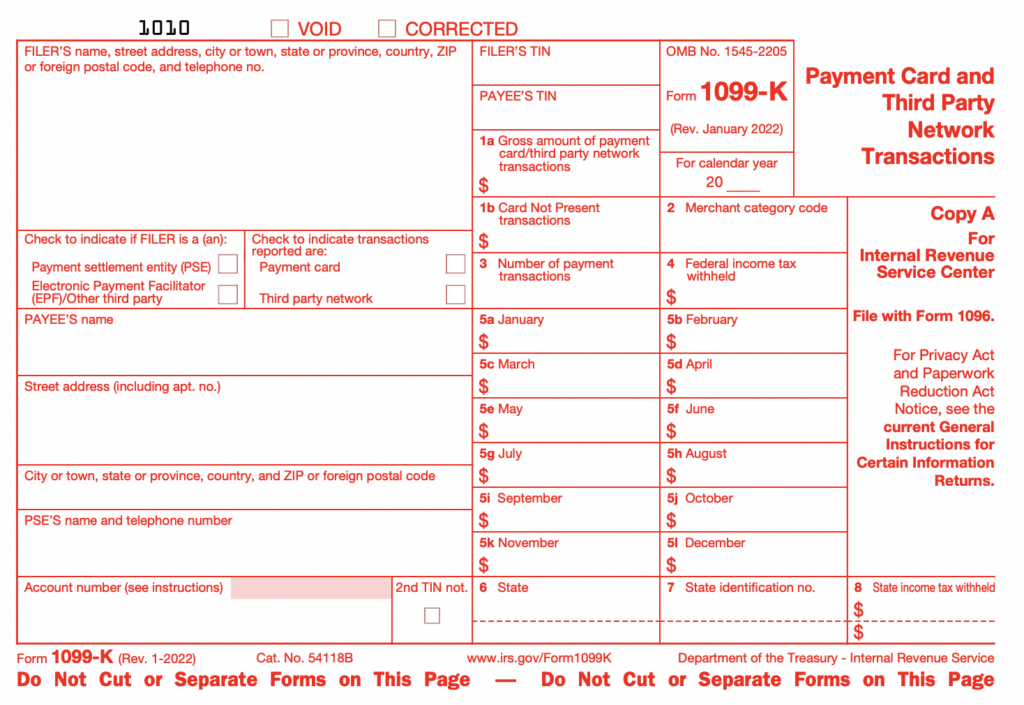
And herein lies the point of the article. If you are an eCommerce reseller doing consignment sales, the platform you are selling on knows nothing about consignment. They will send you a 1099-K that includes the total sales proceeds. In the above case, that would be the full $300.
So what should you do?
Accounting for consignment sales – matching 1099-Ks
Disclaimer
Before proceeding it’s important to mention that we at Seller Ledger are not tax experts and are not trying to provide tax advice. It is critical that you as a reader make your own decisions on how to handle your specific tax situation, which may include hiring a professional.
First, the fact that 1099-Ks from a platform like eBay do not exactly match your sales records is okay. The 1099-K is an informational form. The IRS knows that it may not represent a business’s true income. Therefore, accurate bookkeeping is critical.
When the sale shows up from your online sales channel, you can go ahead and categorize it as product sales, and when you make your payment to the original owner/consignor for the net amount minus your commission, make sure to categorize that properly.
Interestingly, we’ve found a few differing opinions out there on what category to choose for the payment to the consignor. This discussion from the TurboTax community suggests using Cost of Goods Sold or Other Expenses. However, on page 24 of this IRS document, it states:
“Do not include merchandise you receive on consignment in your inventory. Include your profit or commission on merchandise consigned to you in your income when you sell the merchandise or when you receive your profit or commission, depending upon the method of accounting you use.”
Mark Tew, of NotYourDadsCPA, suggests using “Commissions” in this video, which we think makes a lot of sense.
Using the same scenario as above, this would result in entries that look like this:
Reseller/Consignee:

Product sales: $300
- Commissions: $240 (paid to the Owner/Consignor)
===========================
= Net profit: $60
Owner/Consignor:
Product sales: $240 (received from Reseller/Consignee)
- Cost of Goods Sold: $100
===========================
= Net profit: $140Note that each party’s net profit is still the same – the accounting entries are just a bit different. As a reseller, what matters most is that your bottom line profit accurately reflects the business that you did. And taking this approach will help your top-line numbers match the 1099-Ks that get reported for your business.
Track your consignment commissions in Seller Ledger
Update: we’ve now added the ability to track consignment commissions and payments in Seller Ledger.
Simplify your bookkeeping
At Seller Ledger, we import the individual order details of everything you sell through your online sales channels, making it easy to spot those consignment sales and categorize the payouts to consignors properly. Once you have categorized an expense with a consignor, Seller Ledger’s software can remember this for you so all future sales expenses with that consignor can be treated the same way.
Ready to automate your eCommerce bookkeeping?
Join thousands of sellers who save hours every month with Seller Ledger.
No credit card required