Consignment Accounting

A while back, we wrote a pretty in-depth blog post about consignment sales and 1099-Ks. Since then, we’ve had a number of questions from customers about how to properly track consignment sales in Seller Ledger. And we’ve added a LOT of functionality to make that easier, so let’s dive right in.
Consigned items are not technically your inventory…
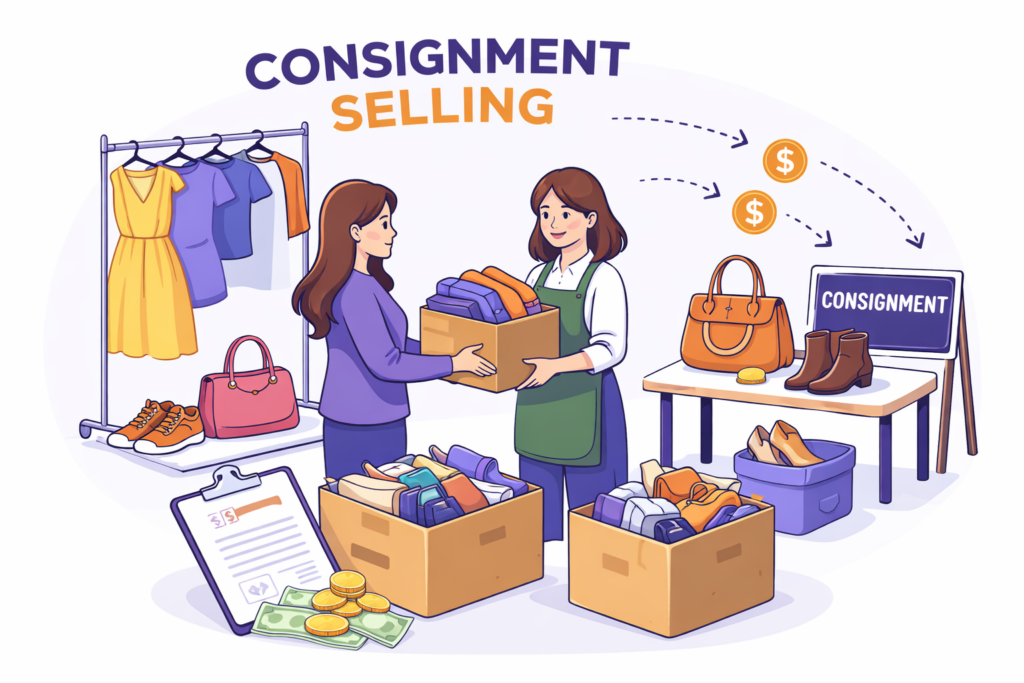
The first thing to realize when dealing with consignment sales, is that, even if you are temporarily taking possession of the items to sell, they do not count as your inventory because they never belong to you. As such, they would not normally be part of your business’s inventory for accounting purposes.
However, online sellers often treat consigned items similar to their own inventory because they receive the items, list them for sale, accept the customer payments, and then try to figure out the profits to be shared. Marketplaces also include all of those sales in their 1099-K to sellers, as they can’t tell the difference between a seller’s own inventory item listed or sale and a consigned item.
Fortunately, Seller Ledger provides a way for consignment sellers to handle this case.
Treat your consigned item as inventory with $0.00 cost
So long as you are using either periodic or continuous inventory tracking, you can simply record your consigned items as inventory with a $0.00 cost. This ensures that the per-order profit reflects only those costs needed to sell the item, which can then be used to accurately calculate the commission owed to the consignor.
The trade-off
The one caveat with this technique is that it will skew the total gross profit numbers for your business. Consigned items will effectively look like they generate 100% gross margin, and when included with the rest of your personal sales, will make your overall numbers look better than they likely are.
How do I calculate the net profit of each sale?
Most consignees (the people doing the selling on behalf of someone else) negotiate payment terms based on the money earned AFTER subtracting costs like shipping and fees. Normally, this requires a lot of time spent in spreadsheets. But for many online sales channels, Seller Ledger does this for you automatically. We import the sale price, any shipping label costs, order-related fees – everything. See how we do it for eBay, Amazon, Walmart and other platforms.
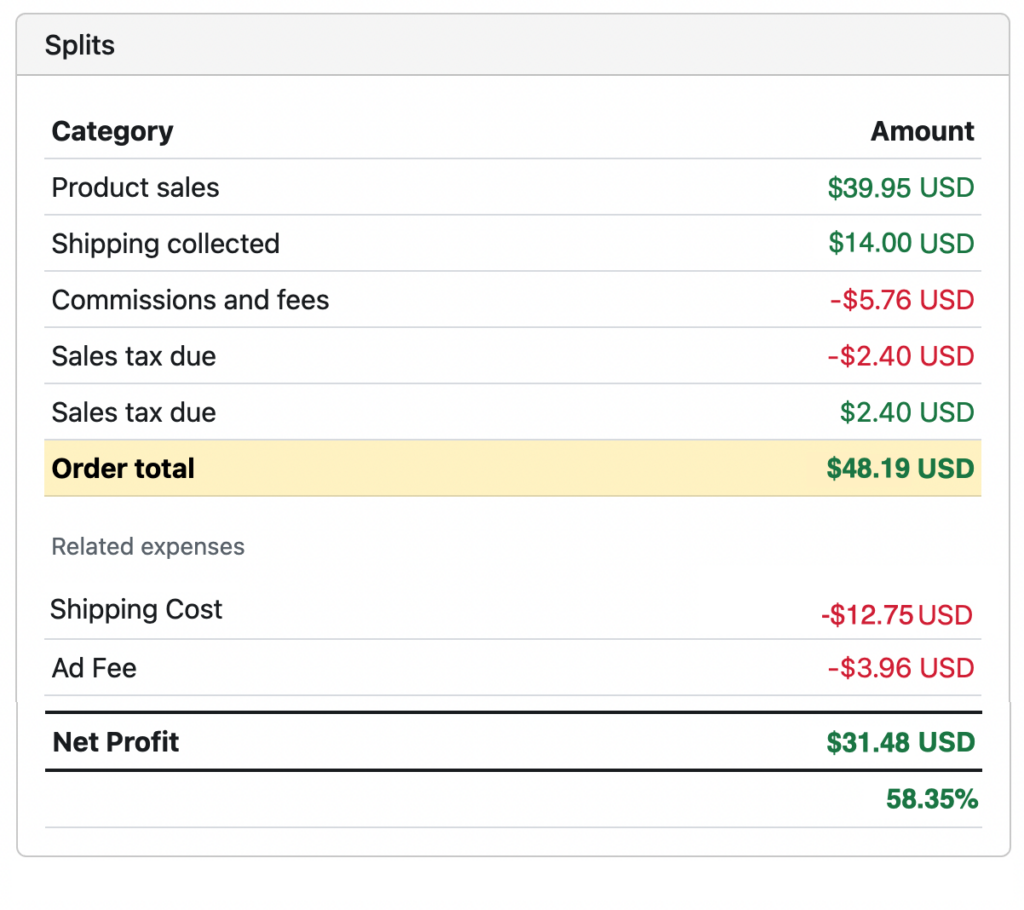
In this case, let’s say you were doing a 50/50 split with the consignor. That would mean sending her/him $15.74.
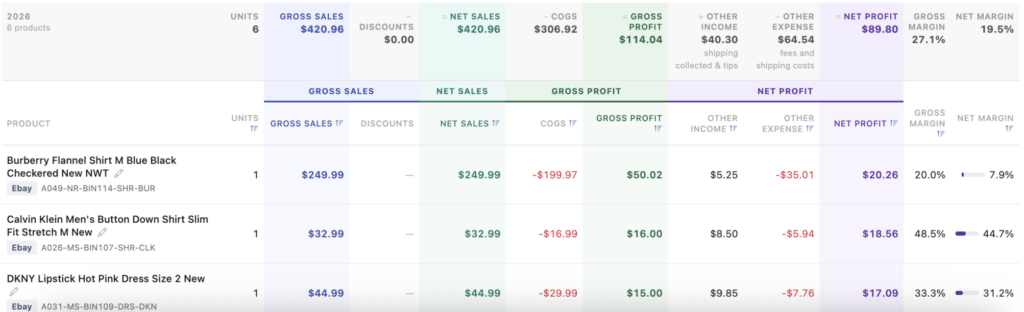
In fact, we have a report that you can look at to see the net profit by product across all sales – the Gross and Net Profit report.
Pro tip
If you use unique SKUs but include a shared code in those SKUs for consigned items, you can search on that SKU in the gross and net profit report to see just your consigned items. For example, if every consigned item starts with “CONS-“, just search on those letters and the report will filter to just those sales. This is also a good work-around for letting you see business-wide gross profit for consigned vs non-consigned items.
Categorizing consignor payments
As mentioned earlier, the items you sell on behalf of your consignor do not count as inventory. Then the question becomes, how do you treat those payments? As mentioned in that prior blog post, the most common category we see used is “Commissions & fees.” By making sure each of those payments gets categorized that way, you have legitimate expenses to reduce your taxable income from consignment sales that may show up on your 1099k.
Frequency of payments
The odds are, you don’t want to have to be sending lots of small to midsize payments to a consignor, especially if you start scaling your consignment business. It would be better to keep track of what you owe each consignor and then send them payment on a regular basis when the amount owed hits a certain level. So how do you do that?
Well, it’s pretty easy. The phrase “how much you owe” should provide a clue. We just need to create a new “accounts payable” liability account that will keep track of how much you owe, and then when you pay it.
Automate your eCommerce bookkeeping with Seller Ledger.
Tracking consignment commissions owed
To start, go to the Settings -> Accounts in your Seller Ledger account (or click “Manage accounts” on your Dashboard):

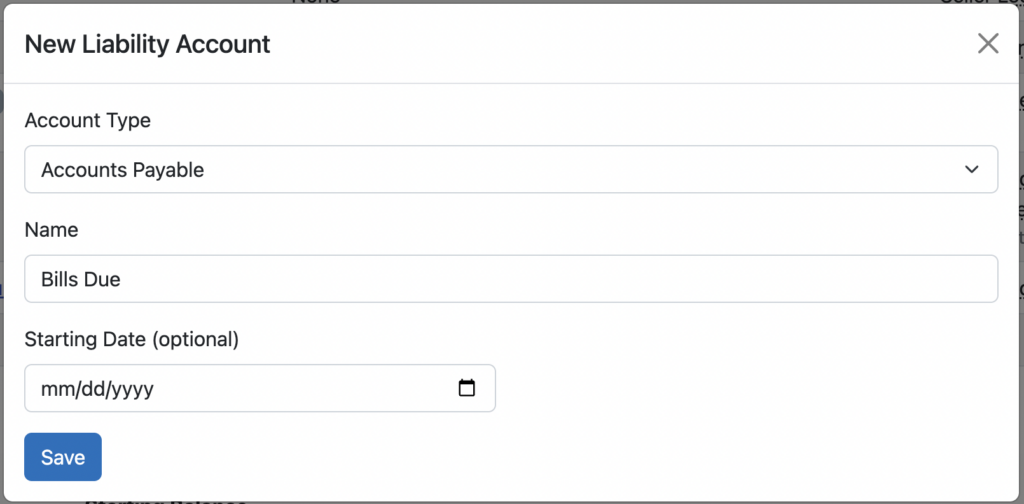
Scroll down the page a bit and click the button to “Add Liability Account.” Then, select “Accounts Payable” as the Account Type, pick a name and, optionally, a start date and opening balance.
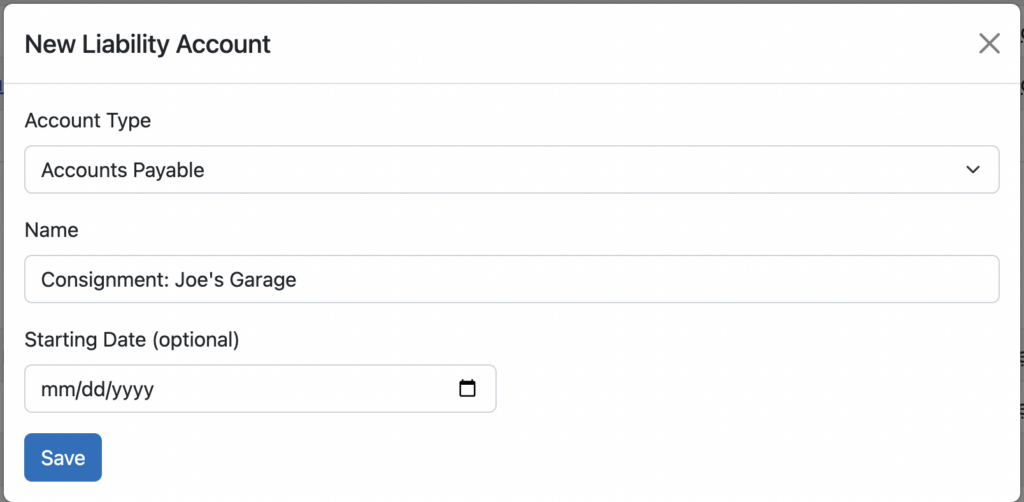
If you sell items for more than one consignor, you might think about creating an account for each one of them. But as you’ll see, you can track all of your consignor payments in a single account too.
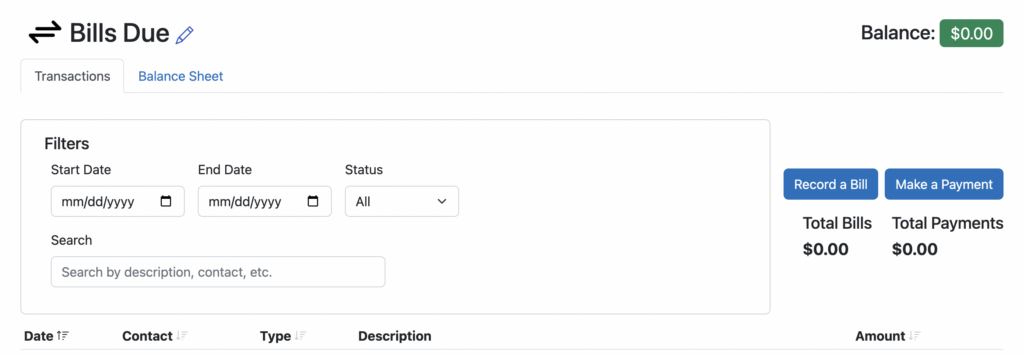
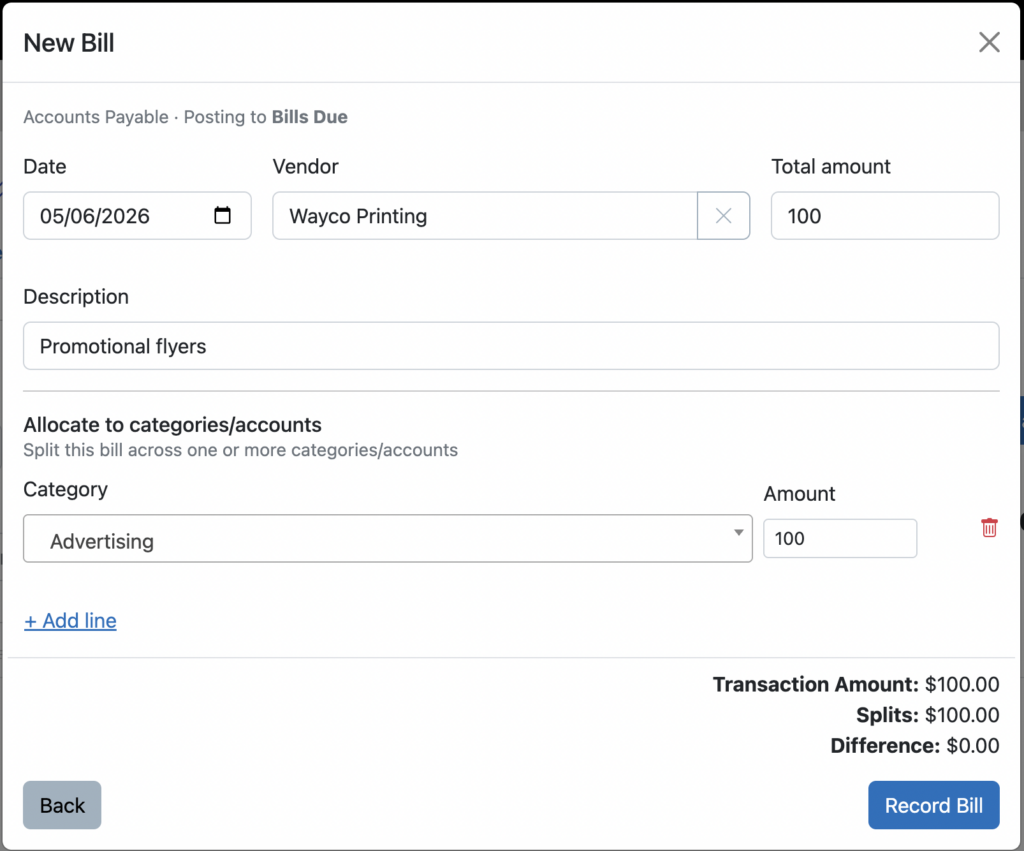
Now that you have created an account for tracking consignment amounts owed, click into it from your Seller Ledger dashboard to see options for recording bills and payments. Each time an item sells, and you calculate the commission based on the net profits we outlined earlier, simply click the button to “Record a bill” and enter the details for that commission amount. Don’t forget to categorize the amount owed as “Commission and fees.”
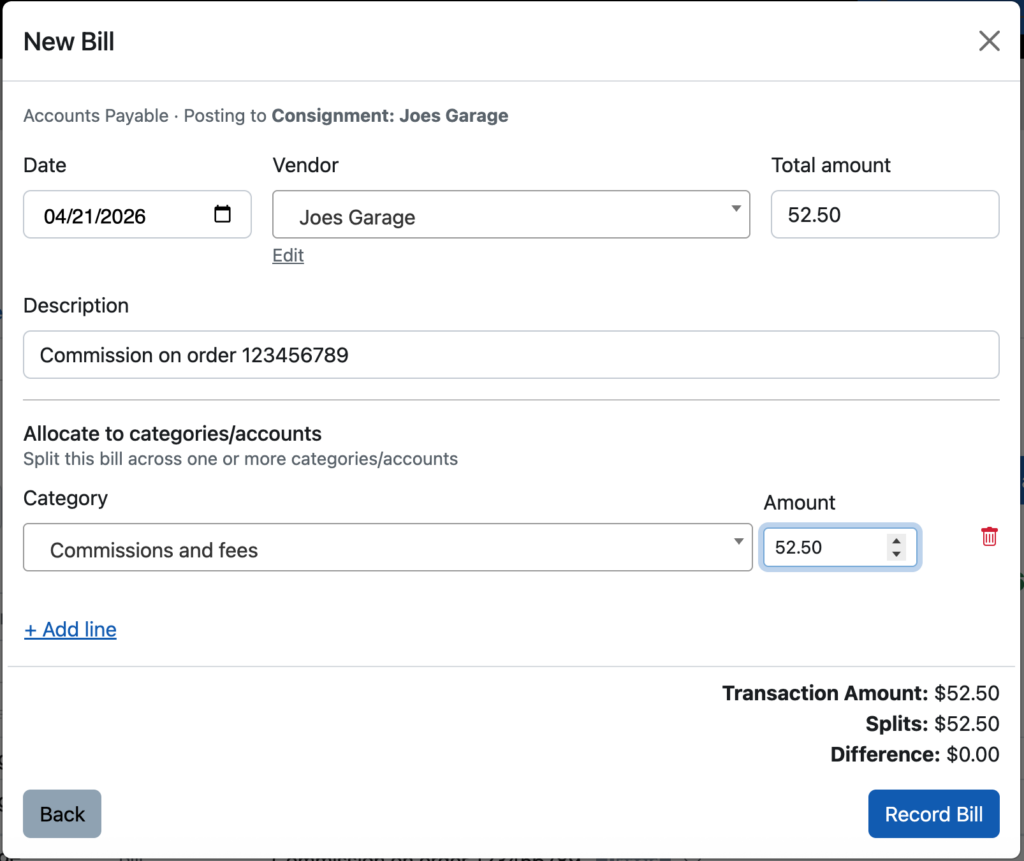
As you sell more items for this consignor, continue to record those commissions within this account. You will see your account balance grow over time:

Tracking commission payments
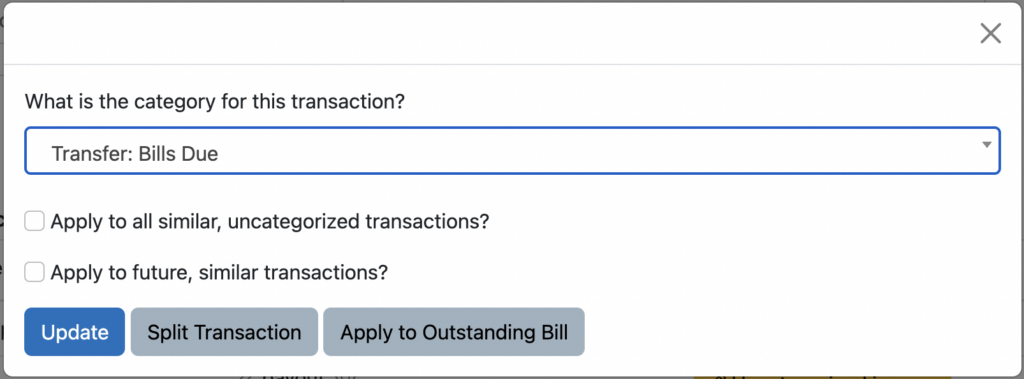
Now, when it comes time to send a payment to your consignor, you have a couple of choices on how to do it. If you have a linked bank account where your payment is imported, you can categorize the payment amount as “Transfer: Consignment: Joes Garage”. Or, if you don’t have a linked bank account, just click into this account, click the “Make a Payment” button, and record the payment details. Because we have multiple commissions to be paid out, we can click the “Apply to balance” option.
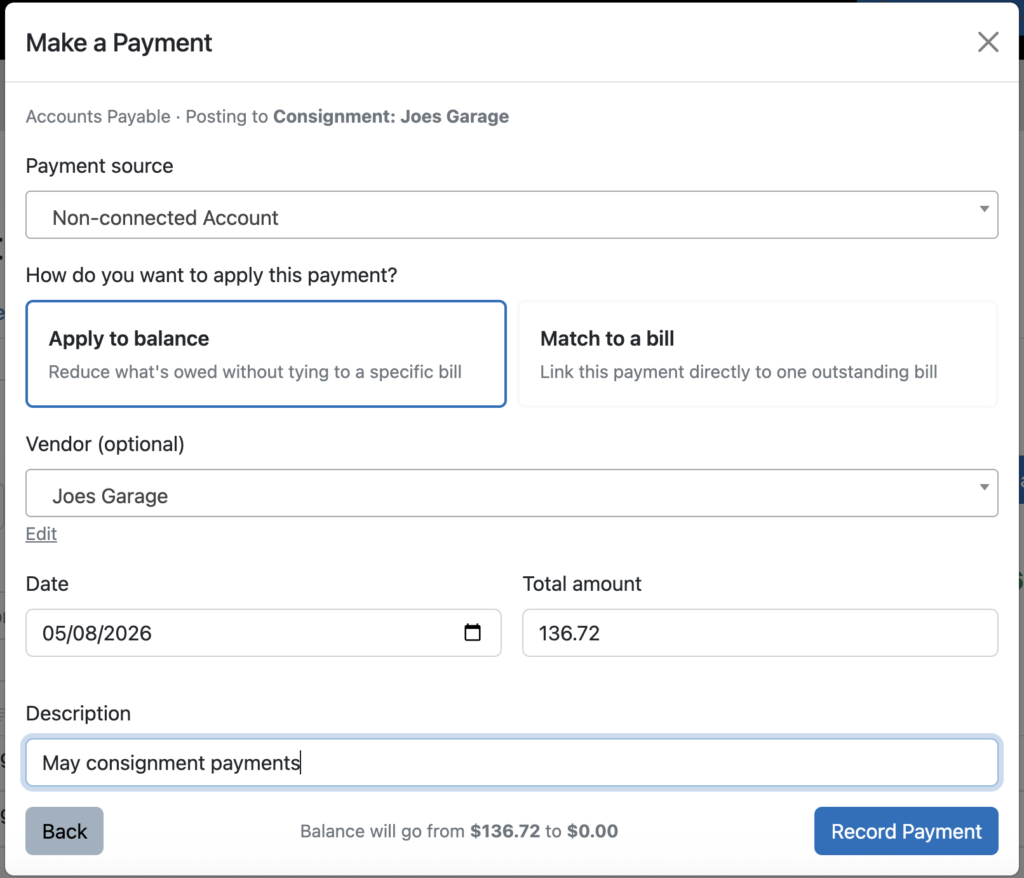
Click “Record Payment” and voila – you have paid all of the outstanding money owed to your consignor. And better yet, you get to determine how often you make those payments.
Ready to automate your eCommerce bookkeeping?
Join thousands of sellers who save hours every month with Seller Ledger.
No credit card required