
Closing entries

To better support accounting pros and some of our bigger customers who use more traditional double entry accounting, we are pleased to announce the ability to record year-end closing entries within Seller Ledger.

What are closing entries?
In essence, closing entries “reset” a businesses profit and loss each year. Think of the profit and loss report as a scoreboard, showing you how much money you made (or lost) in a year. When a new year starts, your profit and loss starts all over. But, you don’t want to lose track of the prior year scores. That’s where closing entries come in. These entries take the profit and loss amounts and move them to the balance sheet.
How to I record closing entries?
If you click on the Settings tab, you will see a new sub-tab for “Journal Entries.” This is has been updated since we first rolled out support for journal entries.

Click the button to “Add Closing Entry. You will then see a pop-up asking which year you would like to close.
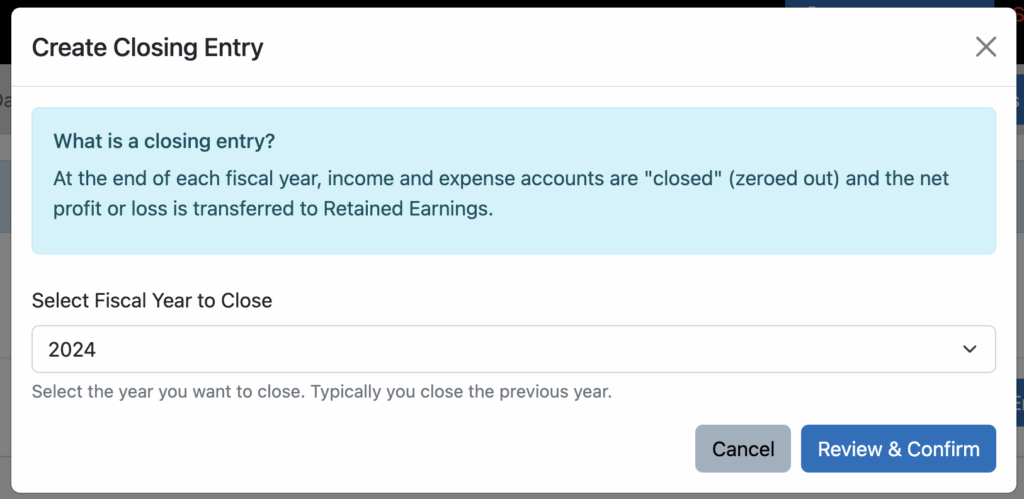
Click “Review and Confirm” and you will be presented with the complete profit & loss for that year, as well as the net profit or loss that will be transferred to retained earnings.
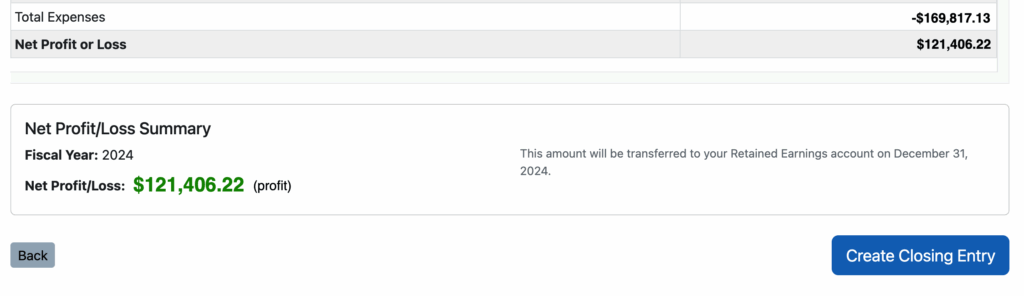
Click the button to “Create Closing Entry” and Seller Ledger does the rest of the work for you. Your Profit and Loss will be reset for the next year, and your balance sheet will be updated to reflect the change to retained earnings.