
Export Your Profit and Loss and Schedule C Tax Reports

In our continued efforts to make it easier to get data out of Seller Ledger, we just added the ability to export your Profit and Loss and Schedule C tax reports.
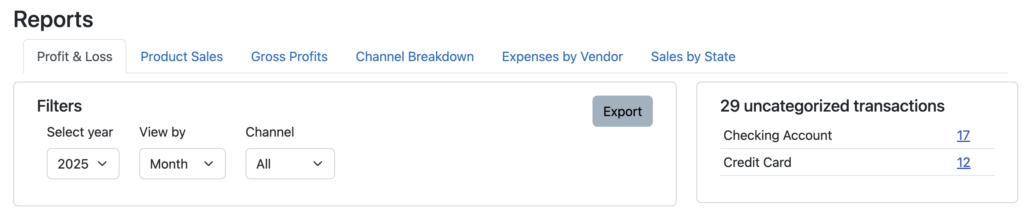
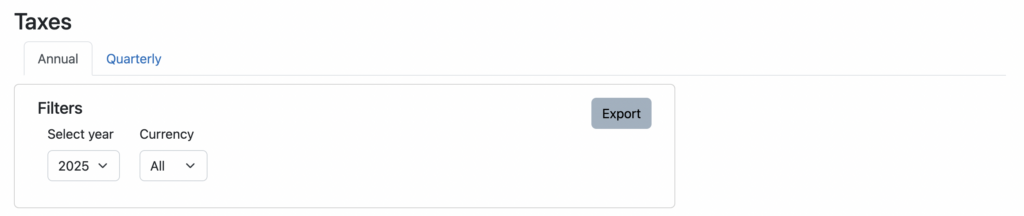
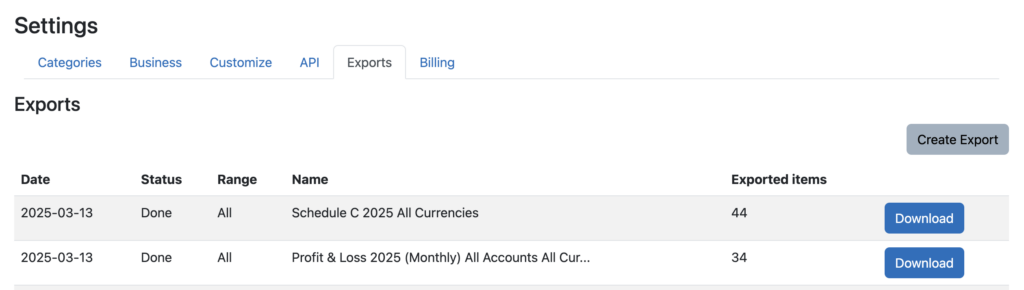
Just click the “Export” button in the upper right of the Filters section and Seller Ledger will generate a comma-separate (CSV) file containing the values. You will then be taken to the Exports page under Settings (which we announced a few months ago) where you can download the file you just requested:
As always, we look forward to more customer suggestions. Keep them coming by emailing us at [email protected].
Ready to automate your eCommerce bookkeeping?
Join thousands of sellers who save hours every month with Seller Ledger.
No credit card required