
Reconcile Amazon Payouts to Bank Deposits

If you are trying to tackle eCommerce accounting, you know how critical it is to be able to reconcile marketplace sales and expenses to the payouts that hit your bank account. Well, just like we previously did for eBay, we are pleased to announce the ability to drill into any Amazon payout to see the precise data that makes up that payout amount.
When you click into your Amazon account from your Seller Ledger dashboard and review your transactions, you have likely seen your payouts listed with an “>>expand” link next to them:

When you click expand, you’ll see some important additional information. Not only do we show the bank account details that the transfer was made to, but we show the summary totals by category.
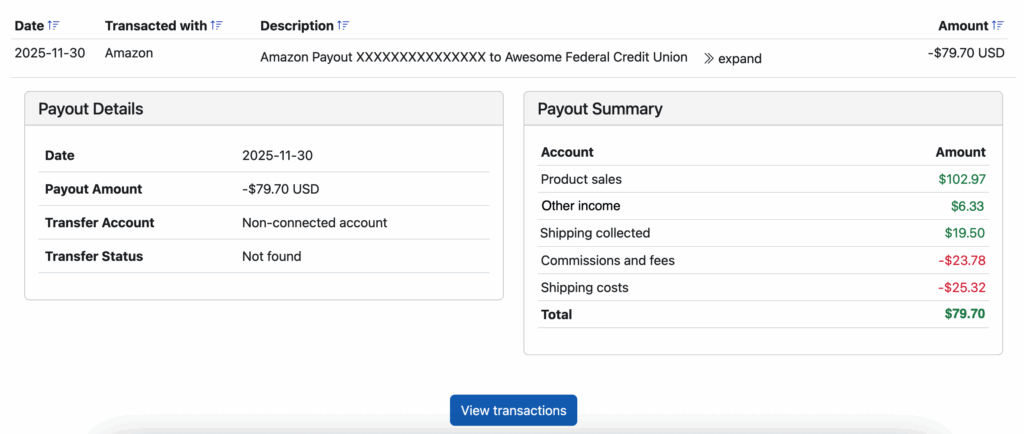
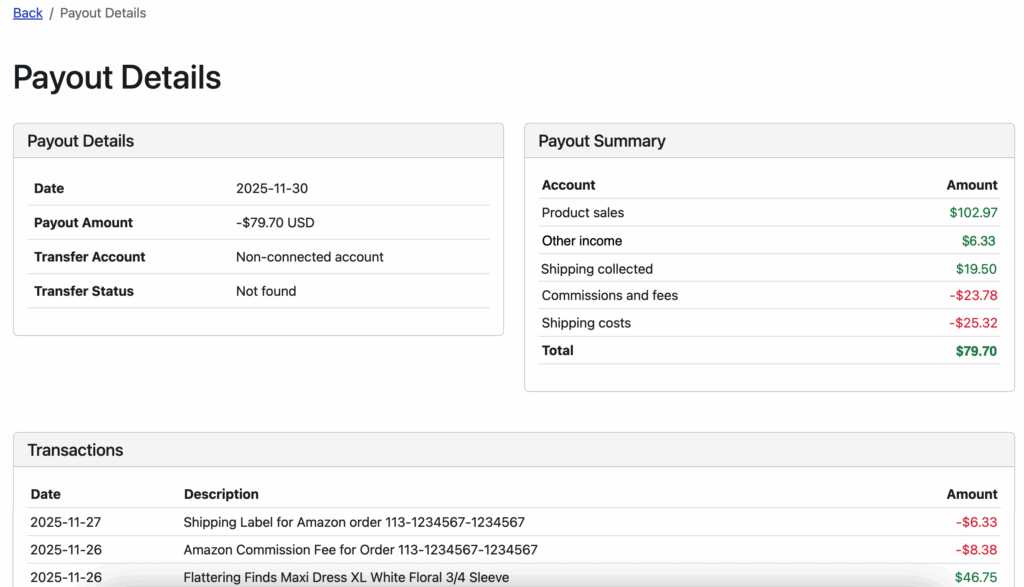
And if that’s not enough, we also provide a button to be able to drill down and see EXACTLY which transactions make up that payout.
And as a reminder, if you link Seller Ledger to the bank account where those payouts get deposited, we will automatically match the payouts from your Amazon account to the deposit in that bank account.
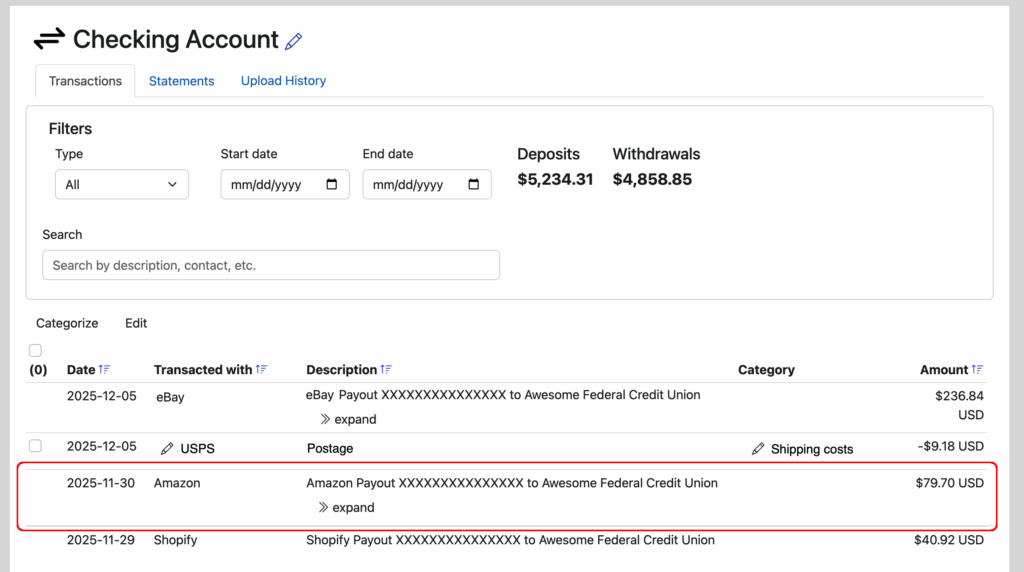
This means you can look at any Amazon payout deposit and drill all the way back down to see the transactions that are included.
If you haven’t yet tried to automate your Amazon accounting with Seller Ledger, now might be a good time to try. No 3rd party connectors needed.
Ready to automate your eCommerce bookkeeping?
Join thousands of sellers who save hours every month with Seller Ledger.
No credit card required