
All SORTS of Small Improvements

Now that we’re through another tax season (for those that didn’t file extensions), we’ve released a few minor enhancements around sorting. Specifically, around sorting columns in the Income and Expense views, as well as Inventory.
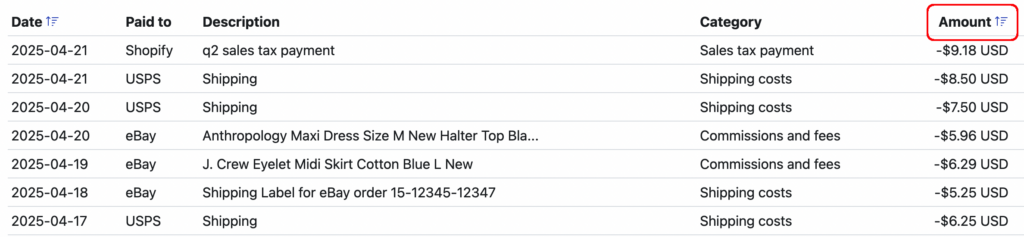
Under both the Income and Expense tabs, you can now sort values based on the Amount column. Just click on the icon to the right of the column header.
Under the Inventory tab, we have also added the ability to sort results by a number of different columns. In the Purchases sub-tab, you can now sort by Date, Purchased from and Total Amount columns:
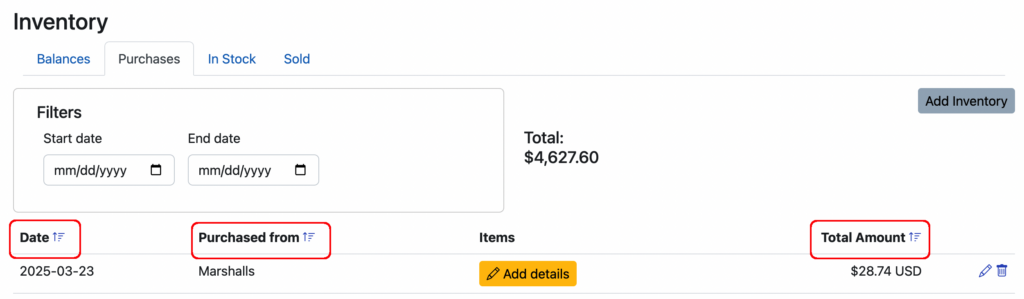
In addition, you can also now sort by every column in the “In Stock” sub-tab and the Date and Total Amount columns under the Sold sub-tab.
Keep those customer suggestions coming and we’ll keep cranking out the improvements. Just email us at [email protected]
Ready to automate your eCommerce bookkeeping?
Join thousands of sellers who save hours every month with Seller Ledger.
No credit card required