
Improved Handling of Transfers Between Accounts

Handling transfers between accounts is one of the most basic elements of proper accounting. In the world of eCommerce sellers, this includes payouts that get withdrawn from a marketplace account, like Amazon or eBay, and get deposited into your bank account. It also includes transactions like payments from your bank account to a credit card account. Because these transactions represent money that moves between accounts, they don’t impact your profit and loss. Making sure that they are treated properly is critical to accurate record-keeping, so you don’t end up double counting anything.

Seller Ledger does a great job of automatically recognizing transfers between different accounts and matching them. However, sometimes, due to timing issues with banks, or even potential mistakes made by customers, these automatic matches of transactions can get mixed up. To help with these cases, we’ve rolled out some improved functionality.
Match to a specific transaction
Let’s take an example of a credit card payment from your business checking account. You may have categorized it as a transfer to the correct credit card account, but it’s not showing as matched.

To help with that, just click the edit/pencil icon next to the current “Transfer” category. It will bring up a new “categorize” pop-up with a new option to “Pick matching transactions”.
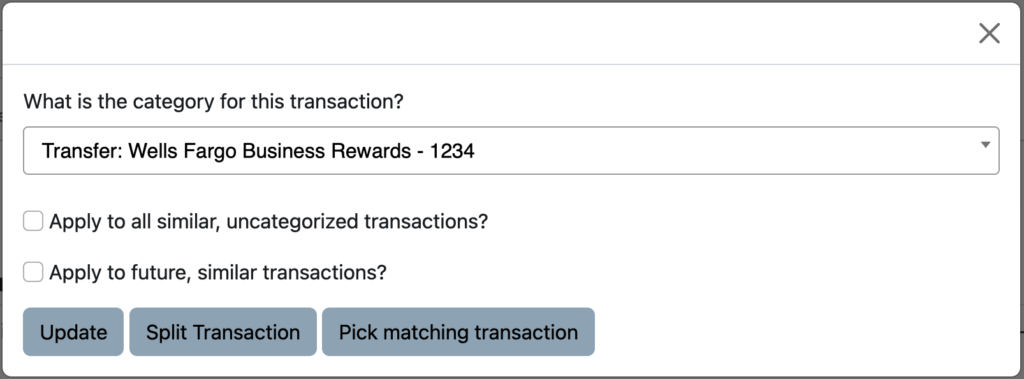
Click that button and Seller Ledger will now show you any transactions that match that same amount across different accounts you have in the software. In this case, it finds the payment made on that Wells Fargo credit card.

Just select the transaction, click “Match Selected”, and you’re all set.
Ready to automate your eCommerce bookkeeping?
Join thousands of sellers who save hours every month with Seller Ledger.
No credit card required