
Search Transactions

Seller Ledger now allows you to search among your income and expense transactions. In addition to filtering transactions by date range or category, you can also now search using specific words that show up in your transaction descriptions.
For example, let’s take a look at a full list of “Income” transactions below:
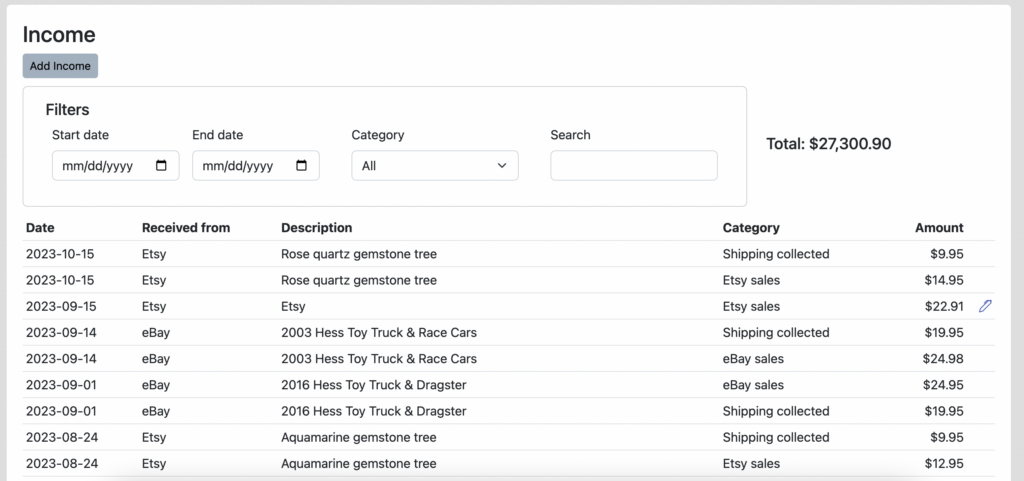
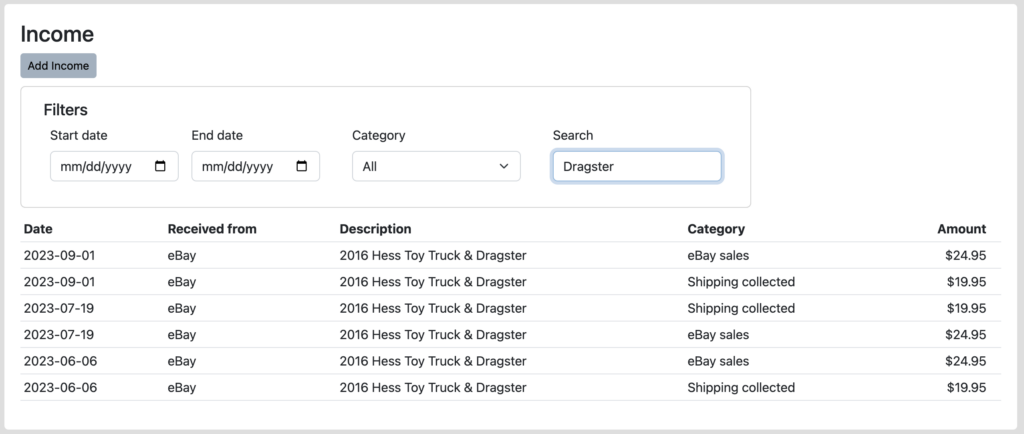
Now let’s say I wanted to see just the sales of Hess Trucks with the “Dragster” included. Simply type “Dragster” into the “Search” box, hit return and you see all of the sales of those truck types.
We know folks have also requested similar search capability within Inventory, and that is on the list. In the meantime, please let us know what you think of this functionality, especially any ways that we can make it better by emailing us at [email protected].
Ready to automate your eCommerce bookkeeping?
Join thousands of sellers who save hours every month with Seller Ledger.
No credit card required