
Automated Bank and Credit Card Reconciliation

In an online world, you’d like to think that all of the available data lines up perfectly. Unfortunately, that’s not always true. Different back-end systems, even within the same companies, can produce different numbers and totals. Just ask anyone who has tried to match a marketplace 1099-K to their own reports.
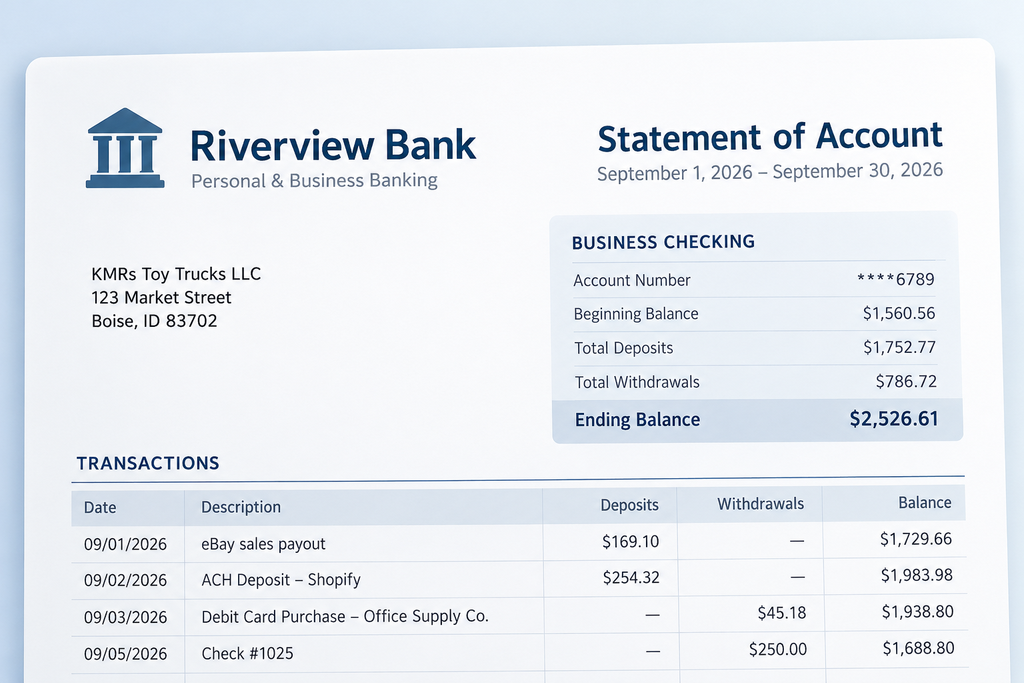
That’s why it’s generally a good idea to reconcile your data against your bank statements. Doing so proves that the money that you made and spent lines up with the changes in your account balance.
Reconciliation – the word sounds just about as fun as the act itself. Wouldn’t it be great if there were a way to automate the process of reconciling your bank or credit card? Well, the technology is finally getting there.
Let the statement do the work for you
In Seller Ledger, you can click into any bank or credit card account from your dashboard. Then, select the Statement sub-tab. There, you will see a list of monthly periods for that account. Pick a period and click the blue “Reconcile” button.
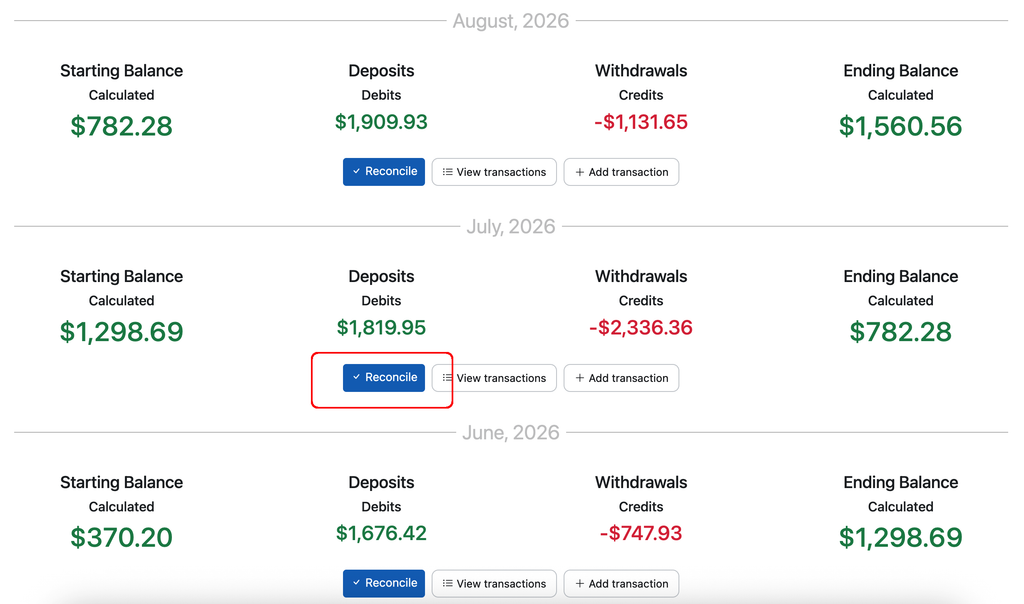
You will then be given an option to upload a copy of your bank statement.
Pro tip
If you’re looking to reconcile a number of periods at a time, it’s worth grabbing all of your statements from your bank website. That will make it easier to upload each one.
Here’s where the magic starts. Seller Ledger will extract the critical information from your PDF statement – opening and closing period dates and balances, as well as individual transactions. We then compare those values to what we received from the bank. If they match, you’re pretty much done. If not, we can suggest specific changes to fix the most common issues, including:
- Transaction dates that fall in a different period (very common with payouts from marketplaces)
- Missing transactions
- Duplicate transactions
To see a step-by-step walk-through, check out our support article on automatic bank and credit card reconciliation.
Ready to automate your eCommerce bookkeeping?
Join thousands of sellers who save hours every month with Seller Ledger.
No credit card required