
Load Inventory Costs from Your Spreadsheet

If you have built or bought a spreadsheet template for tracking your product purchases and costs, you can now use that to get a jump start on automating your eCommerce accounting and getting better insights into your net profits. Seller Ledger now lets you upload inventory costs from your spreadsheet.
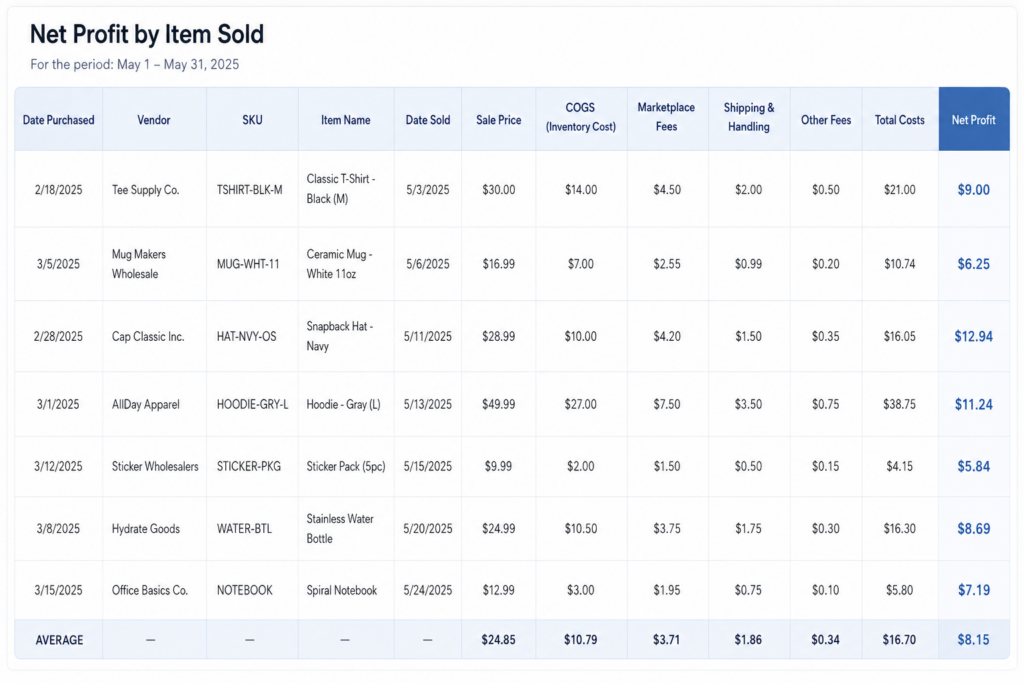
To start, this feature only works if you have inventory tracking turned on and want to see your profits at the item-level. If you are writing off cost of goods sold as you go, you’ll be more interested in just uploading a list of expenses.
However, if you’ve already been tracking each purchase and sale, you’ve made the investment to see your profitability per item.
Update
Since this article was originally published, we’ve released a much more flexible approach to CSV file formats. You can learn more about that here.
How to upload your existing inventory costs from your spreadsheet
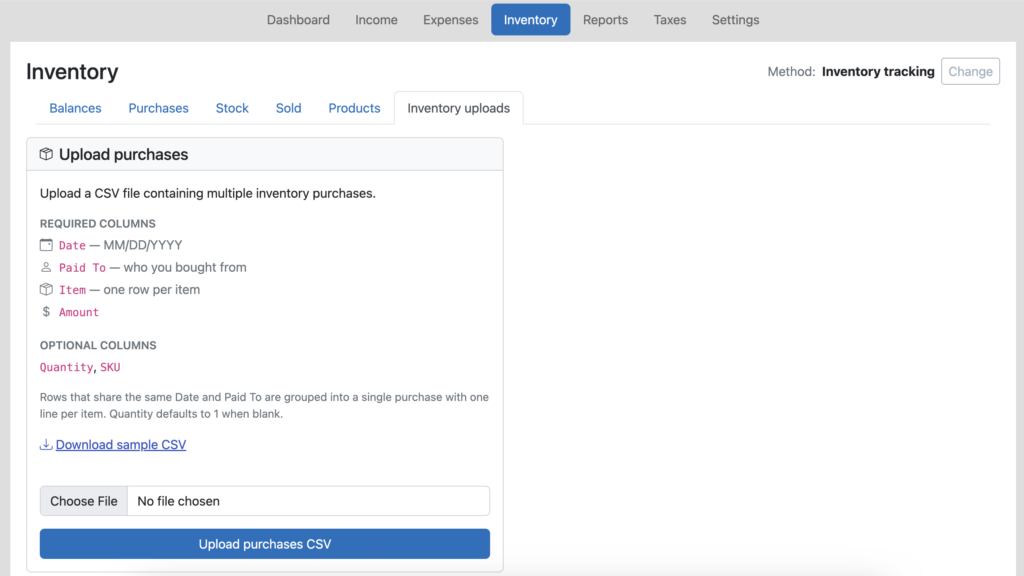
Just go to the Inventory tab in Seller Ledger, and you will see a new “Inventory uploads” sub-tab. Next, open your existing inventory purchase spreadsheet and save it as a new file, in a CSV format. And make sure to rename any of the columns to match our layout.
Pro tip
If you don’t already have unique SKUs for each item in your spreadsheet, we strongly recommend adding them. They are the secret to automating the matching of sales to cost, reducing inventory and calculating cost of goods sold.
That’s it. You’ve just jump-started your switch to a more automated method for tracking your profits on each sale/item.
Ready to automate your eCommerce bookkeeping?
Join thousands of sellers who save hours every month with Seller Ledger.
No credit card required